Artist Spotlight - Wellington Franzao
Project Dream
Scene Manager

Humay Hasanova
We caught up with Franzao Wellington, CG artist and the Head of Franzao Academy, to talk about his creative process, his approach to teaching, and how Pulze tools fit into his everyday workflow. He shared how he stays creative while traveling the world, what makes his workshops tick, and why Scene Manager and Project Dream have become essential parts of how he works.
A laptop, a cafe, and zero excuses
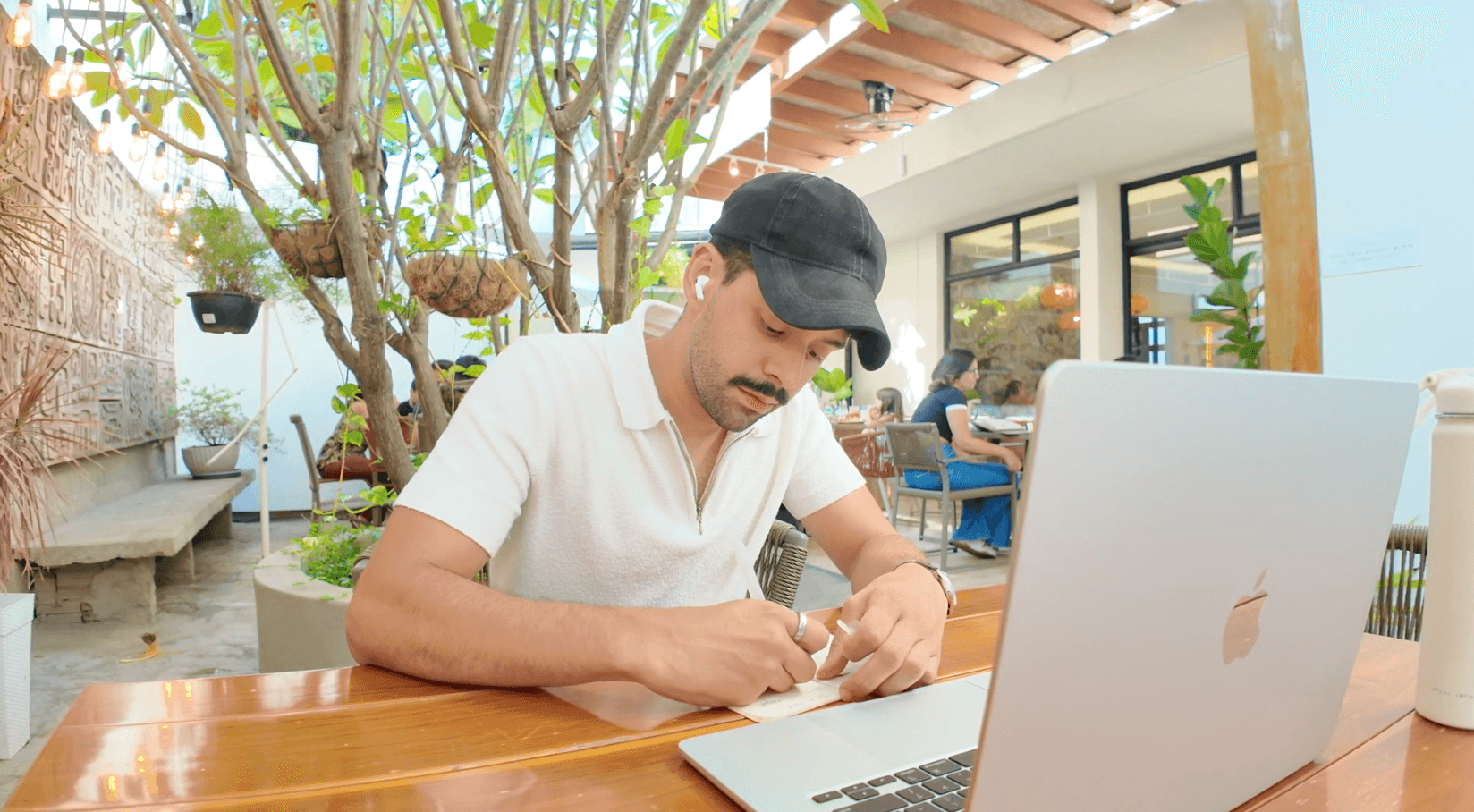
Franzao’s usual setup
Franzao’s setup would make most archviz artists nervous. He doesn’t have a permanent studio or a fixed address. Since last year, he’s been traveling the world, working from cafes, Airbnb’s, and wherever he happens to land. His laptop handles the creative thinking, his PC back home handles the heavy lifting, and somehow it all works.
People ask him all the time: how do you do archviz like this? His answer is refreshingly simple. You connect remotely, you keep moving, and you let your surroundings feed your creativity. The constantly changing environment isn’t a limitation for him. It’s fuel.
The artist who doesn’t care about pixels
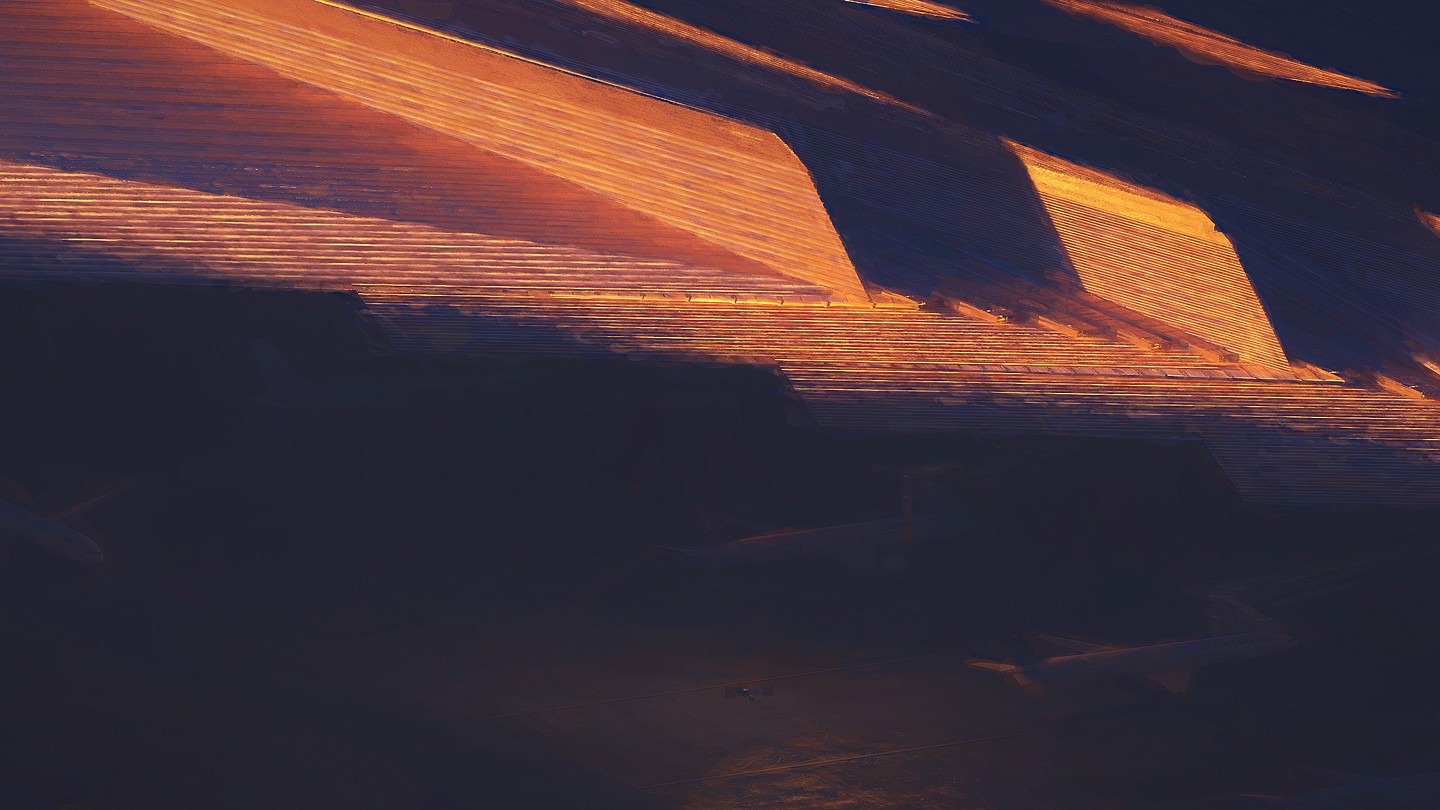
One of Franzao’s sketches
Here’s the thing about Franzao that makes him stand out: he genuinely doesn’t care about technical perfection, at least not in the early stages. While a lot of artists get lost in mesh quality and render resolution from day one, he’s chasing something else entirely.
Every project starts with inspiration. That could mean browsing images, watching films, or just absorbing whatever the project is asking for. Only when the creative direction clicks does he open 3ds Max. And even then, he’s sketching, not polishing.
“I’m not picky with the mesh, I’m not picky with the resolution. I’m picky only with my ideas. Once I have an idea, once I have a sketch, it doesn’t matter if it’s a 400 pixel one or a 2K. I’m always hunting and my goal is always the ideas, the sketches.”
His personal projects follow the same philosophy. They’re fast, raw, and idea-driven. A personal project can be done in two days because he strips away everything that doesn’t serve the concept. Just the idea, as clearly as possible.
It’s this mindset that shapes everything he does, from client work at Elephant Skin to his workshops to how he uses tools. If it helps him explore ideas faster, he’s in. If it slows him down with unnecessary complexity, he’s out.
Scene Manager: where exploration becomes effortless
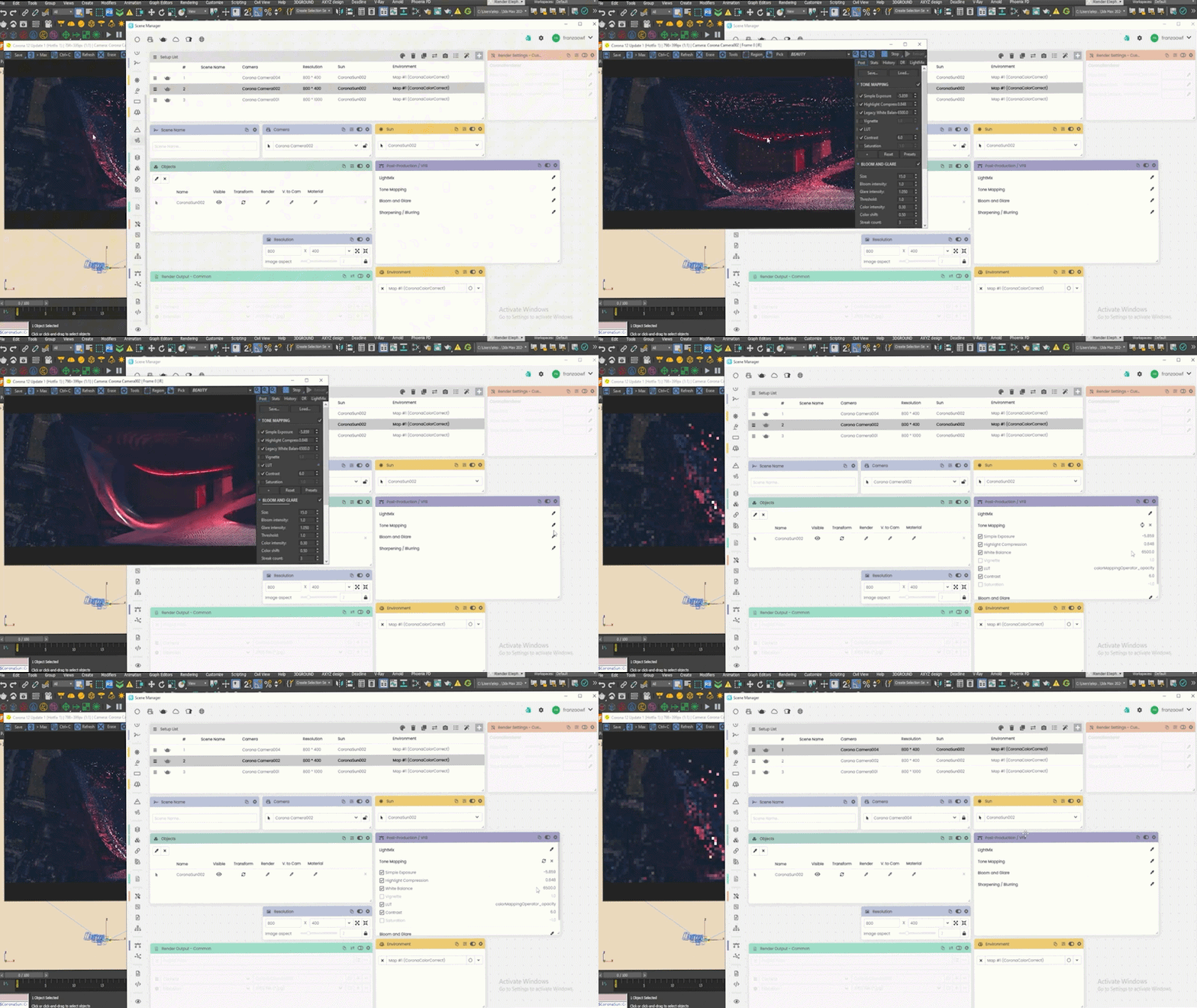
Snapshot of Franzao’s workflow on Scene Manager
This is exactly why Scene Manager clicked for Franzao from the very first time he used it. He remembers the moment clearly, and his reaction was instant: this was built by CG artists who actually understand the problems.
“When I met the founders, I was like, yeah, that makes sense. Because this is perfect for a CG artist. All the struggles that we have, Scene Manager is there to solve. That was a CG artist who walked in and actually created a tool to solve all the problems that we have.”
Scene Manager enters his workflow right at the beginning, during the exploration phase he cares so much about. As he experiments with different angles, lighting setups, and compositions in 3ds Max, he saves every variation into a single file. No more saving separate files for every camera. No more losing track of that one lighting setup you liked three hours ago.
For someone whose entire process is built around generating and capturing ideas quickly, this is a game changer. He can explore freely, save as he goes, then scroll through all his ideas in Scene Manager and decide which ones to push forward. After that, he takes them into Photoshop and starts refining.
“When I’m creating sketches, I’m saving all the lights, all different cameras, all different settings in one single file. I save lots of space, keep getting new ideas, and just save them. After that, I go through all of them in Scene Manager, I can see what I’m creating, and start playing in Photoshop. This is the best workflow for me now.”*
On larger projects and master plans, Scene Manager becomes even more critical. When Franzao is working with a team, everyone starts from a shared base file. Each artist explores their own area of the project independently, and when someone needs to pick up where another artist left off, it’s just a click. No confusion, no file chaos, no wasted time trying to figure out what someone else was doing.
Even when he’s working solo, it’s just as essential. He laughed when he told us he doesn’t even remember what he ate today, so having Scene Manager keep track of all his ideas is a lifesaver.
When we asked him what it would feel like to go back to working without it, his answer was perfect:
“You know when you have two screens and then you have to work with only one? That’s the feeling of not having Scene Manager. Because once you go there, you can’t go back.”
Project Dream: from sketch to something shareable
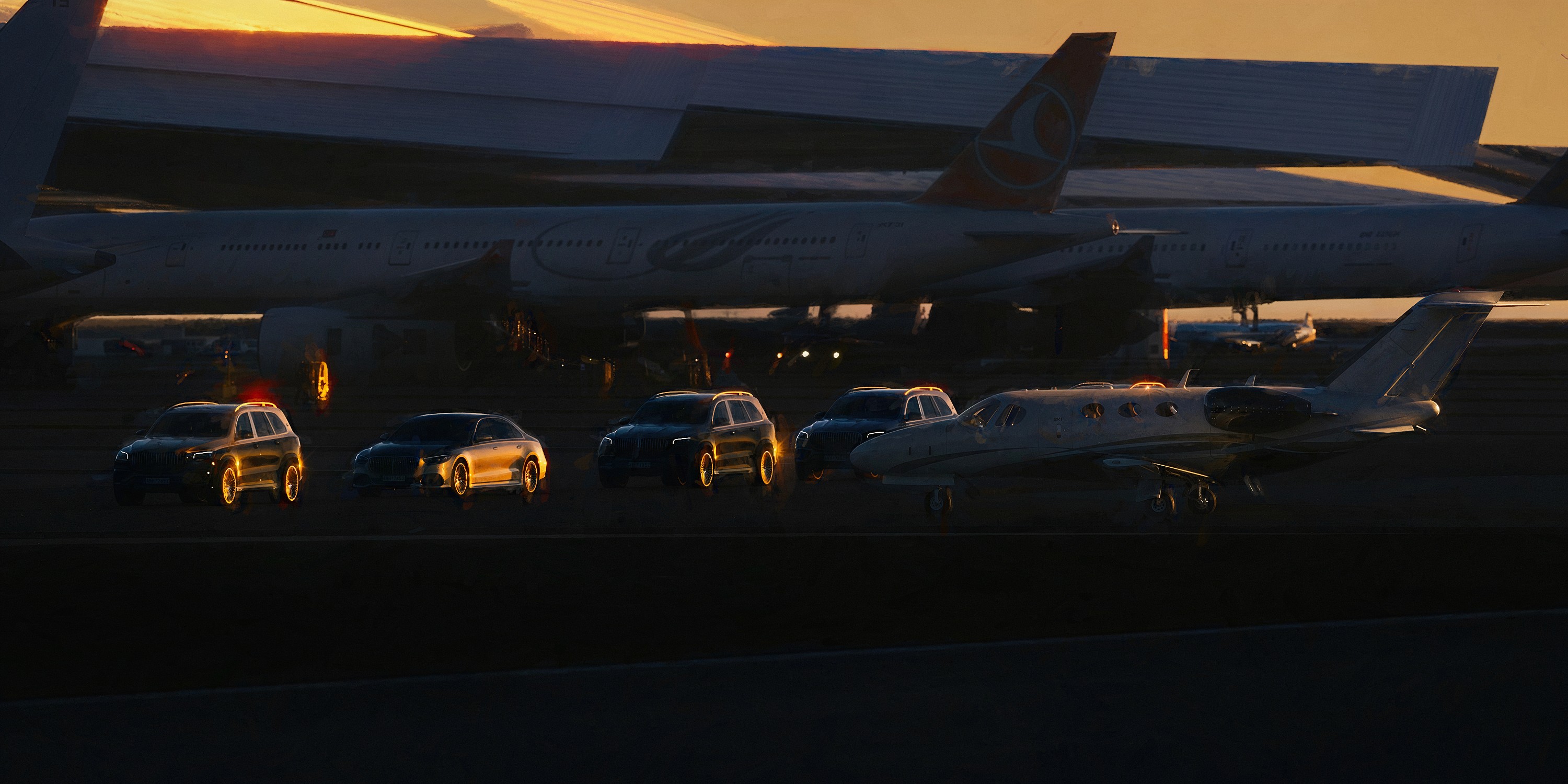
A sketch example he shared with us from his work out of Project Dream
If Scene Manager is where Franzao captures his ideas, Project Dream is where he pushes them further.
It fits right after Scene Manager in his workflow, during the concept stage. Once he has his sketches and variations saved, he moves into Photoshop and brings Project Dream into the mix. The process is simple: drag and drop, tweak the settings, play around, and pull the results back into Photoshop for masking and compositing.
The feature he keeps coming back to is image to image.
Franzao creates the initial sketch himself, with his own angles, his own lighting, his own creative choices. Then he uses Project Dream’s image-to-image to generate slight variations and discover new elements he might not have thought of. He stays in control of the creative direction while the tool opens up new possibilities around it.
“I am the one creating. I am the one trying different angles and light. And from that image, from that sketch, I can find reference and get slightly different variations, elements on that scene, and then I implement that on my own sketch. The image to image to me is stunning.”
He also uses the upscale feature to sharpen his output and get concepts client-ready or competition-ready fast, without jumping back into 3ds Max for every small change. For an artist who values speed and creative flow above all else, that’s a big deal.
Franzao first discovered Project Dream through a training session at Brick Academy and was immediately hooked by how intuitive it was. Now it’s a permanent part of his process.
“It’s so helpful and so simple. You just drag and drop, change the settings, play. Copy and paste into Photoshop, mask in, mask out. Absolutely easy and fun to do. And the upscale feature as well, of course.”
Teaching artists to feel free again
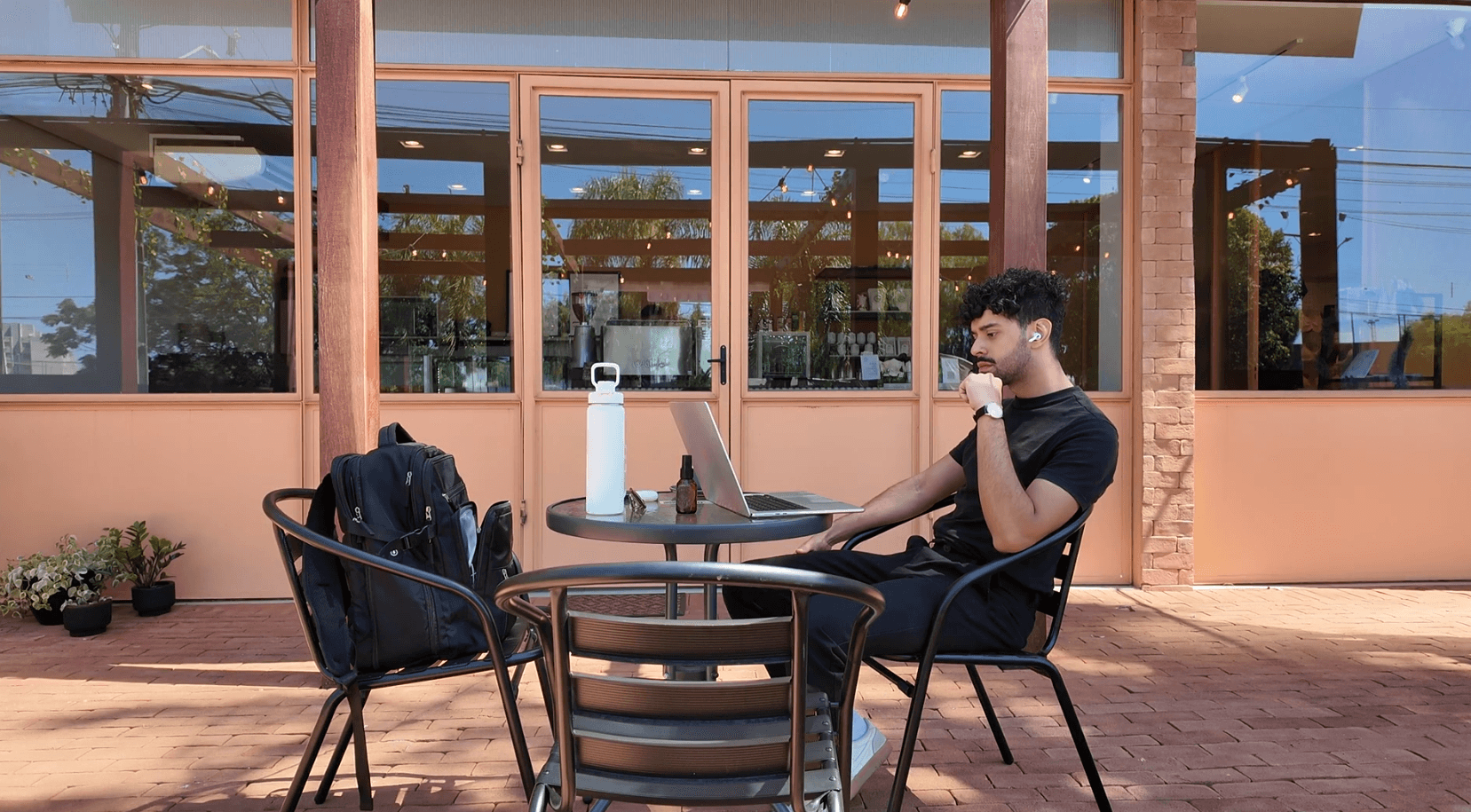
Franzao running his online workshops
Beyond his own work, Franzao has been running workshops since last year. But if you’re expecting technical tutorials, you’re in the wrong room. His workshops are about something bigger: learning how to think creatively and explore without fear.
He teaches his students a way of thinking. How to approach a project with curiosity, how to explore a file and actually find ideas instead of just executing someone else’s brief. It’s not about which button to press. It’s about what to do once you’ve pressed it.
Scene Manager and Project Dream naturally come up during these sessions, and the reactions are always strong. When students see that they can save all their explorations in a single file with Scene Manager, it’s a genuine “whoa” moment. And when they see how quickly Project Dream can enhance a rough sketch into something presentable, it changes how they think about their own speed and potential.
But the feedback that hits Franzao the hardest has nothing to do with tools.
“When they come to me saying they now feel the passion they had when they started as a CG artist, that’s the most powerful feedback. Because when we start as a CG artist, you start in this field because you love it. And then with time you lose that passion. When I hear from them that they are passionate about creating images again, for me that’s the most powerful feedback of all.”
He sees a pattern: people get into archviz because they love creating. Over time, the grind wears that passion down. His workshops help them reconnect with why they started in the first place. That, to him, is worth more than any technical lesson.
On AI: keep creating, the rest will follow
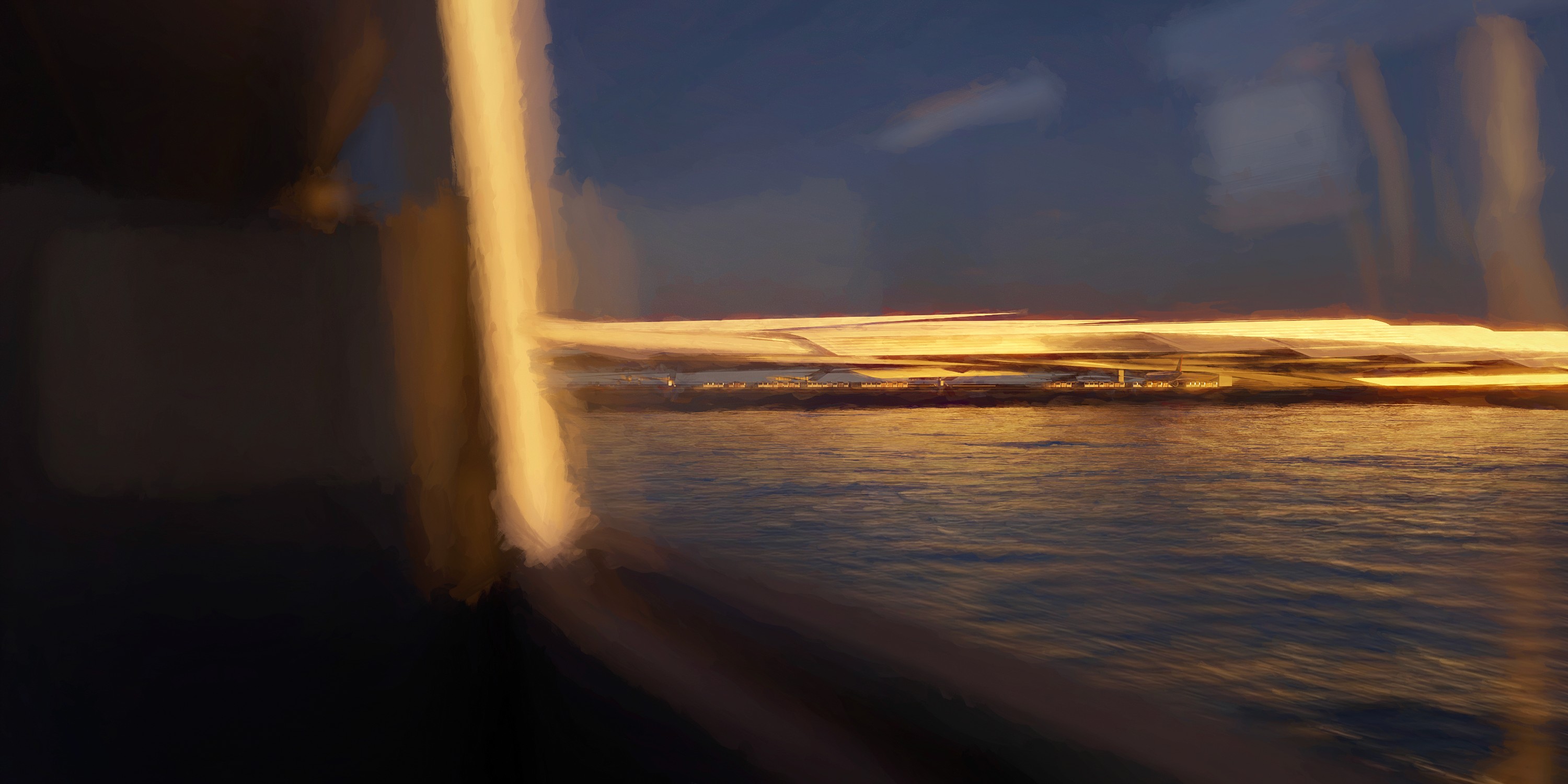
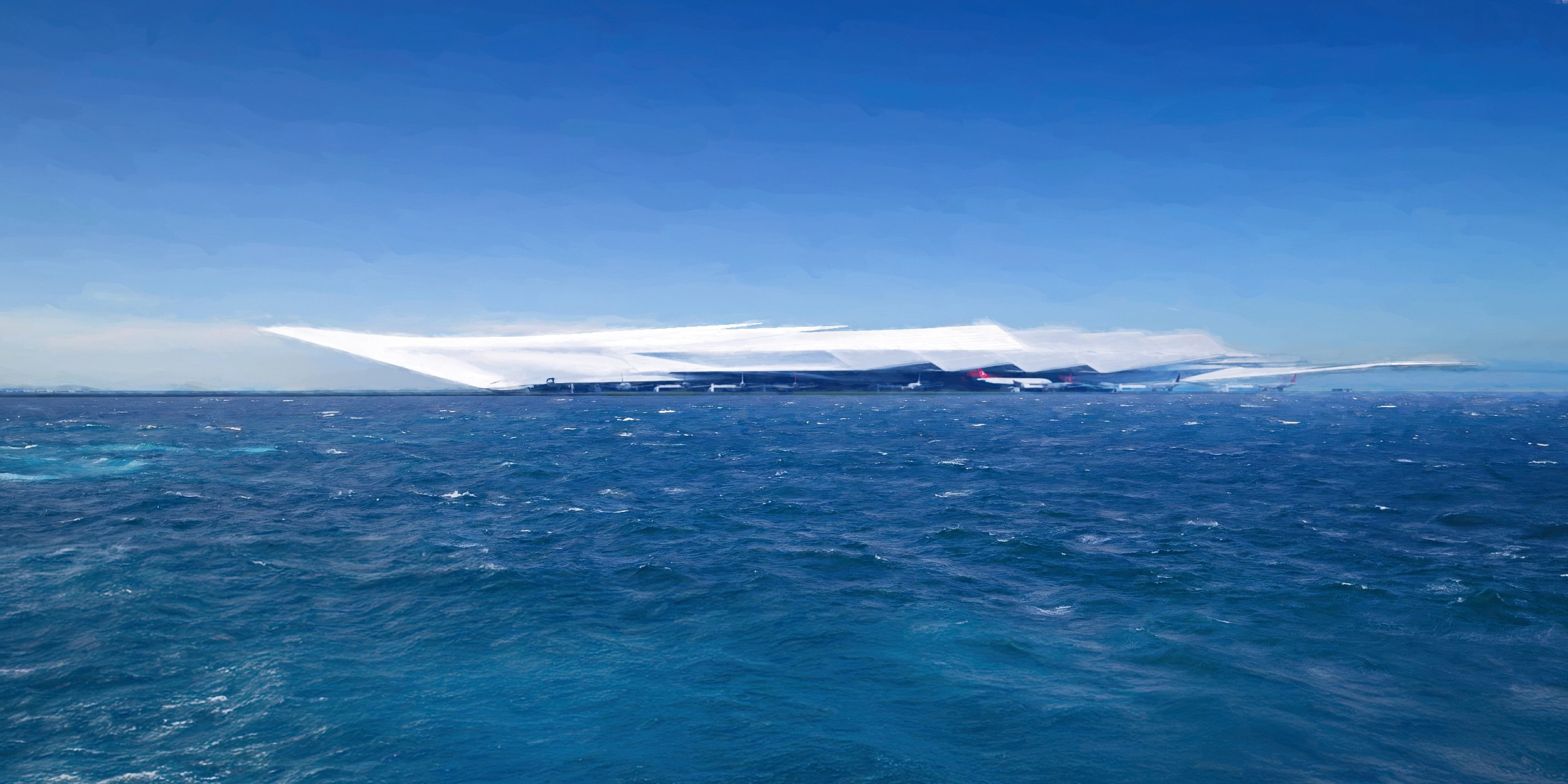
One of Franzao’s sketches
With AI being the hottest topic in archviz right now, Franzao’s take is refreshingly grounded. He doesn’t see it as a threat. He sees it as another tool in the box, just like Project Dream.
His advice to artists, especially those just starting out, is simple: develop your artistic eye, learn how to think creatively, and keep making things. The tools will keep evolving, but the ability to come up with ideas and solve problems visually will always be what sets you apart.
“If you develop your skills as an artist, as a problem solver, you have nothing to worry about. AI is just a tool, like Project Dream. It’s just a tool and you use it to create ideas. If you are always trying things, getting new ideas, exploring and actually doing this, you have nothing to worry about.”
Franzao Wellington is the Head of Franzao Academy and a 3D Awards, AHA, and ASAI award winner. He’s currently traveling the world while creating archviz work for top studios. Follow him on Instagram @franzao.f to stay tuned for his next workshop, and check out his podcast, Talk to Franzao, where he chats with artists, architects, and other creatives from the archviz world.


"/><stop offset="1" stop-color="rgb(249, 153, 88)"/></linearGradient><linearGradient id="tNByExjAT-3936178086-linear-gradient" x1="0.592694010721749" x2="0.40730598927825107" y1="0" y2="1"><stop offset="0" stop-color="rgb(214, 214, 214)"/><stop offset="1" stop-color="rgb(249, 249, 249)"/></linearGradient></defs><g d="M 140 280 C 201.35 280 235.45 280 257.72 257.72 C 280 235.44 280 201.34 280 140 C 280 78.66 280 44.55 257.72 22.28 C 235.45 0 201.35 0 140 0 C 78.65 0 44.55 0 22.28 22.28 C 0 44.55 0 78.65 0 140 C 0 201.35 0 235.45 22.28 257.72 C 44.56 280 78.66 280 140 280 Z M 93.549 162.53 C 81.249 162.21 71.609 151.79 71.609 139.49 L 71.609 70.54 C 71.609 58.24 81.249 47.82 93.549 47.5 C 106.269 47.17 116.689 57.39 116.689 70.03 L 116.689 139.99 C 116.689 152.64 106.279 162.85 93.549 162.52 Z M 127.189 47.5 L 94.649 47.5 C 82.349 47.5 71.929 57.14 71.609 69.44 C 71.279 82.16 81.499 92.58 94.139 92.58 L 126.429 92.58 C 152.469 92.58 174.229 113.26 174.599 139.3 C 174.979 165.77 153.559 187.42 127.179 187.42 L 117.179 187.42 C 104.879 187.42 94.459 197.06 94.139 209.36 C 93.809 222.08 104.029 232.5 116.669 232.5 L 126.119 232.5 C 177.179 232.5 219.399 191.57 219.669 140.5 C 219.939 89.27 178.339 47.5 127.169 47.5 Z" fill="transparent" height="280px" id="rSAPTrJ6C" width="280px"><g d="M 140 280 C 201.35 280 235.45 280 257.72 257.72 C 280 235.44 280 201.34 280 140 C 280 78.66 280 44.55 257.72 22.28 C 235.45 0 201.35 0 140 0 C 78.65 0 44.55 0 22.28 22.28 C 0 44.55 0 78.65 0 140 C 0 201.35 0 235.45 22.28 257.72 C 44.56 280 78.66 280 140 280 Z M 93.549 162.53 C 81.249 162.21 71.609 151.79 71.609 139.49 L 71.609 70.54 C 71.609 58.24 81.249 47.82 93.549 47.5 C 106.269 47.17 116.689 57.39 116.689 70.03 L 116.689 139.99 C 116.689 152.64 106.279 162.85 93.549 162.52 Z M 127.189 47.5 L 94.649 47.5 C 82.349 47.5 71.929 57.14 71.609 69.44 C 71.279 82.16 81.499 92.58 94.139 92.58 L 126.429 92.58 C 152.469 92.58 174.229 113.26 174.599 139.3 C 174.979 165.77 153.559 187.42 127.179 187.42 L 117.179 187.42 C 104.879 187.42 94.459 197.06 94.139 209.36 C 93.809 222.08 104.029 232.5 116.669 232.5 L 126.119 232.5 C 177.179 232.5 219.399 191.57 219.669 140.5 C 219.939 89.27 178.339 47.5 127.169 47.5 Z" fill="transparent" height="280px" id="XUITjQ3ui" width="280px"><path d="M 140 280 C 201.35 280 235.45 280 257.72 257.72 C 280 235.44 280 201.34 280 140 C 280 78.66 280 44.55 257.72 22.28 C 235.45 0 201.35 0 140 0 C 78.65 0 44.55 0 22.28 22.28 C 0 44.55 0 78.65 0 140 C 0 201.35 0 235.45 22.28 257.72 C 44.56 280 78.66 280 140 280 Z" fill="url(%23f1qYH2iq6-3936178086-linear-gradient)" height="280px" id="f1qYH2iq6" width="280px"/><path d="M 21.94 115.038 C 9.64 114.718 0 104.298 0 91.998 L 0 23.048 C 0 10.748 9.64 0.328 21.94 0.008 C 34.66 -0.322 45.08 9.898 45.08 22.538 L 45.08 92.498 C 45.08 105.148 34.67 115.358 21.94 115.028 Z" fill="url(%23tNByExjAT-3936178086-linear-gradient)" height="115.03777309249585px" id="tNByExjAT" transform="translate(71.609 47.492)" width="45.0796px"/><path d="M 55.587 0 L 23.048 0 C 10.748 0 0.328 9.64 0.008 21.94 C -0.322 34.66 9.898 45.08 22.538 45.08 L 54.827 45.08 C 80.867 45.08 102.627 65.76 102.997 91.8 C 103.377 118.27 81.957 139.92 55.577 139.92 L 45.577 139.92 C 33.277 139.92 22.858 149.56 22.538 161.86 C 22.208 174.58 32.427 185 45.067 185 L 54.517 185 C 105.577 185 147.797 144.07 148.067 93 C 148.337 41.77 106.737 0 55.567 0 Z" fill="rgb(249, 249, 249)" height="185px" id="kUQRNWucU" transform="translate(71.602 47.5)" width="148.0687800047492px"/></g></g></svg>)
"/><stop offset="1" stop-color="rgb(158, 60, 236)"/></linearGradient><linearGradient id="TwUw7mDUx-2775876027-linear-gradient" x1="0.21742248902519262" x2="0.7825775109748074" y1="0" y2="1"><stop offset="0" stop-color="rgb(227, 227, 227)"/><stop offset="1" stop-color="rgb(249, 249, 249)"/></linearGradient></defs><g d="M 140 280 C 201.347 280 235.448 280 257.724 257.724 C 280 235.448 280 201.347 280 140 C 280 78.653 280 44.552 257.724 22.276 C 235.448 0 201.347 0 140 0 C 78.653 0 44.552 0 22.276 22.276 C 0 44.552 0 78.653 0 140 C 0 201.347 0 235.448 22.276 257.724 C 44.552 280 78.653 280 140 280 Z M 187.406 230 C 179.585 230 171.985 225.961 167.793 218.743 L 137.031 165.737 C 130.788 154.979 134.498 141.223 145.315 135.015 C 156.132 128.806 169.964 132.495 176.207 143.252 L 206.969 196.259 C 213.212 207.016 209.502 220.772 198.685 226.981 C 195.127 229.02 191.236 230 187.406 230 Z M 204 113.5 C 204 78.876 176.174 50.652 141.748 50.03 C 141.367 50.01 140.977 50 140.586 50 L 92.537 50 C 80.087 50 70 60.1 70 72.567 C 70 85.035 80.087 95.135 92.537 95.135 L 140.586 95.135 C 150.703 95.135 158.926 103.37 158.926 113.5 C 158.926 123.63 150.703 131.865 140.586 131.865 L 121.074 131.865 C 108.623 131.865 98.537 141.965 98.537 154.432 C 98.537 166.9 108.623 177 121.074 177 L 140.586 177 C 140.977 177 141.367 177 141.748 176.97 C 176.174 176.348 204 148.124 204 113.5 Z" fill="transparent" height="280px" id="YKCNutVTT" width="280px"><path d="M 140 280 C 201.347 280 235.448 280 257.724 257.724 C 280 235.448 280 201.347 280 140 C 280 78.653 280 44.552 257.724 22.276 C 235.448 0 201.347 0 140 0 C 78.653 0 44.552 0 22.276 22.276 C 0 44.552 0 78.653 0 140 C 0 201.347 0 235.448 22.276 257.724 C 44.552 280 78.653 280 140 280 Z" fill="url(%23YDb5Nxcxy-2775876027-linear-gradient)" height="280px" id="YDb5Nxcxy" width="280px"/><path d="M 53.406 98 C 45.585 98 37.985 93.961 33.793 86.743 L 3.031 33.737 C -3.212 22.979 0.498 9.223 11.315 3.015 C 22.132 -3.194 35.964 0.495 42.207 11.252 L 72.969 64.259 C 79.212 75.016 75.502 88.772 64.685 94.981 C 61.127 97.02 57.236 98 53.406 98 Z" fill="url(%23TwUw7mDUx-2775876027-linear-gradient)" height="97.99995519103643px" id="TwUw7mDUx" transform="translate(134 132)" width="76.00044607111269px"/><path d="M 134 63.5 C 134 28.876 106.174 0.652 71.748 0.03 C 71.367 0.01 70.977 0 70.586 0 L 22.537 0 C 10.087 0 0 10.1 0 22.567 C 0 35.035 10.087 45.135 22.537 45.135 L 70.586 45.135 C 80.703 45.135 88.926 53.37 88.926 63.5 C 88.926 73.63 80.703 81.865 70.586 81.865 L 51.074 81.865 C 38.623 81.865 28.537 91.965 28.537 104.432 C 28.537 116.9 38.623 127 51.074 127 L 70.586 127 C 70.977 127 71.367 127 71.748 126.97 C 106.174 126.348 134 98.124 134 63.5 Z" fill="rgb(249, 249, 249)" height="127px" id="dR8GQomDb" transform="translate(70 50)" width="134px"/></g></svg>)
"/><stop offset="1" stop-color="rgb(20, 201, 225)"/></linearGradient><linearGradient id="ttiWHiLhI-610479465-linear-gradient" x1="0" x2="1" y1="0.10969428681921467" y2="0.8903057131807853"><stop offset="0" stop-color="rgb(249, 249, 249)"/><stop offset="1" stop-color="rgb(227, 227, 227)"/></linearGradient></defs><g d="M 139.395 278.79 C 200.478 278.79 234.431 278.79 256.611 256.61 C 278.791 234.43 278.79 200.477 278.79 139.395 C 278.79 78.313 278.791 44.36 256.611 22.18 C 234.431 0 200.478 0 139.395 0 C 78.313 0 44.36 0 22.18 22.18 C 0 44.36 0 78.313 0 139.395 C 0 200.477 0 234.43 22.18 256.61 C 44.36 278.79 78.313 278.79 139.395 278.79 Z M 178.295 161.885 L 100.415 161.885 C 87.984 161.885 77.914 151.815 77.914 139.385 C 77.914 126.955 87.984 116.885 100.415 116.885 L 178.295 116.885 C 190.725 116.885 200.795 126.955 200.795 139.385 C 200.795 151.815 190.725 161.885 178.295 161.885 Z M 100.396 161.905 C 96.575 161.905 92.705 160.935 89.165 158.885 C 78.405 152.675 74.715 138.915 80.925 128.145 L 119.866 60.695 C 126.076 49.935 139.836 46.245 150.606 52.455 C 161.366 58.665 165.056 72.425 158.846 83.195 L 119.906 150.645 C 115.736 157.865 108.176 161.895 100.396 161.895 Z M 139.335 229.365 C 135.515 229.365 131.645 228.395 128.105 226.345 C 117.345 220.135 113.655 206.375 119.865 195.605 L 158.805 128.155 C 165.015 117.395 178.775 113.705 189.545 119.915 C 200.305 126.125 203.995 139.885 197.785 150.655 L 158.845 218.105 C 154.675 225.325 147.115 229.355 139.335 229.355 Z" fill="transparent" height="278.79002000808714px" id="hKg4pe_V0" transform="translate(0.605 0.605)" width="278.78953101158965px"><g d="M 139.395 278.79 C 200.478 278.79 234.431 278.79 256.611 256.61 C 278.791 234.43 278.79 200.477 278.79 139.395 C 278.79 78.313 278.791 44.36 256.611 22.18 C 234.431 0 200.478 0 139.395 0 C 78.313 0 44.36 0 22.18 22.18 C 0 44.36 0 78.313 0 139.395 C 0 200.477 0 234.43 22.18 256.61 C 44.36 278.79 78.313 278.79 139.395 278.79 Z M 178.295 161.885 L 100.415 161.885 C 87.984 161.885 77.914 151.815 77.914 139.385 C 77.914 126.955 87.984 116.885 100.415 116.885 L 178.295 116.885 C 190.725 116.885 200.795 126.955 200.795 139.385 C 200.795 151.815 190.725 161.885 178.295 161.885 Z M 100.396 161.905 C 96.575 161.905 92.705 160.935 89.165 158.885 C 78.405 152.675 74.715 138.915 80.925 128.145 L 119.866 60.695 C 126.076 49.935 139.836 46.245 150.606 52.455 C 161.366 58.665 165.056 72.425 158.846 83.195 L 119.906 150.645 C 115.736 157.865 108.176 161.895 100.396 161.895 Z M 139.335 229.365 C 135.515 229.365 131.645 228.395 128.105 226.345 C 117.345 220.135 113.655 206.375 119.865 195.605 L 158.805 128.155 C 165.015 117.395 178.775 113.705 189.545 119.915 C 200.305 126.125 203.995 139.885 197.785 150.655 L 158.845 218.105 C 154.675 225.325 147.115 229.355 139.335 229.355 Z" fill="transparent" height="278.79001999999997px" id="w_SP9V_LT" transform="translate(0 0)" width="278.7895310000081px"><path d="M 139.395 278.79 C 200.478 278.79 234.431 278.79 256.611 256.61 C 278.791 234.43 278.79 200.477 278.79 139.395 C 278.79 78.313 278.791 44.36 256.611 22.18 C 234.431 0 200.478 0 139.395 0 C 78.313 0 44.36 0 22.18 22.18 C 0 44.36 0 78.313 0 139.395 C 0 200.477 0 234.43 22.18 256.61 C 44.36 278.79 78.313 278.79 139.395 278.79 Z" fill="url(%23VvyLWBwlb-610479465-linear-gradient)" height="278.79001999999997px" id="VvyLWBwlb" width="278.7895310000081px"/><path d="M 100.381 45 L 22.501 45 C 10.07 45 0 34.93 0 22.5 C 0 10.07 10.07 0 22.501 0 L 100.381 0 C 112.811 0 122.881 10.07 122.881 22.5 C 122.881 34.93 112.811 45 100.381 45 Z" fill="url(%23ttiWHiLhI-610479465-linear-gradient)" height="45px" id="ttiWHiLhI" transform="translate(77.914 116.885)" width="122.88050000000001px"/><path d="M 22.485 112.465 C 18.665 112.465 14.795 111.495 11.255 109.445 C 0.495 103.235 -3.195 89.475 3.015 78.705 L 41.955 11.255 C 48.165 0.495 61.925 -3.195 72.695 3.015 C 83.455 9.225 87.145 22.985 80.935 33.755 L 41.995 101.205 C 37.825 108.425 30.265 112.455 22.485 112.455 Z" fill="rgb(249, 249, 249)" height="112.46529262442554px" id="B5LOvula1" transform="translate(77.91 49.44)" width="83.95068524885113px"/><path d="M 22.485 112.465 C 18.665 112.465 14.795 111.495 11.255 109.445 C 0.495 103.235 -3.195 89.475 3.015 78.705 L 41.955 11.255 C 48.165 0.495 61.925 -3.195 72.695 3.015 C 83.455 9.225 87.145 22.985 80.935 33.755 L 41.995 101.205 C 37.825 108.425 30.265 112.455 22.485 112.455 Z" fill="rgb(249, 249, 249)" height="112.46529262442556px" id="tMeCyqf_z" transform="translate(116.849 116.9)" width="83.95058524885116px"/></g></g></svg>)