Scene Manager 3 is in beta
Scene Manager
Release


Péter Sárhidai
Take full control of your 3ds Max scenes, rebuilt from the ground up.
Scene Manager 3 is in beta. We rebuilt it from scratch on years of feedback and added new features to align it to the way you work: a new interface, folders, variations, comments on your renders and a direct connection to your AI agent. Your 2.x setups come with you.
Scene states, one click away
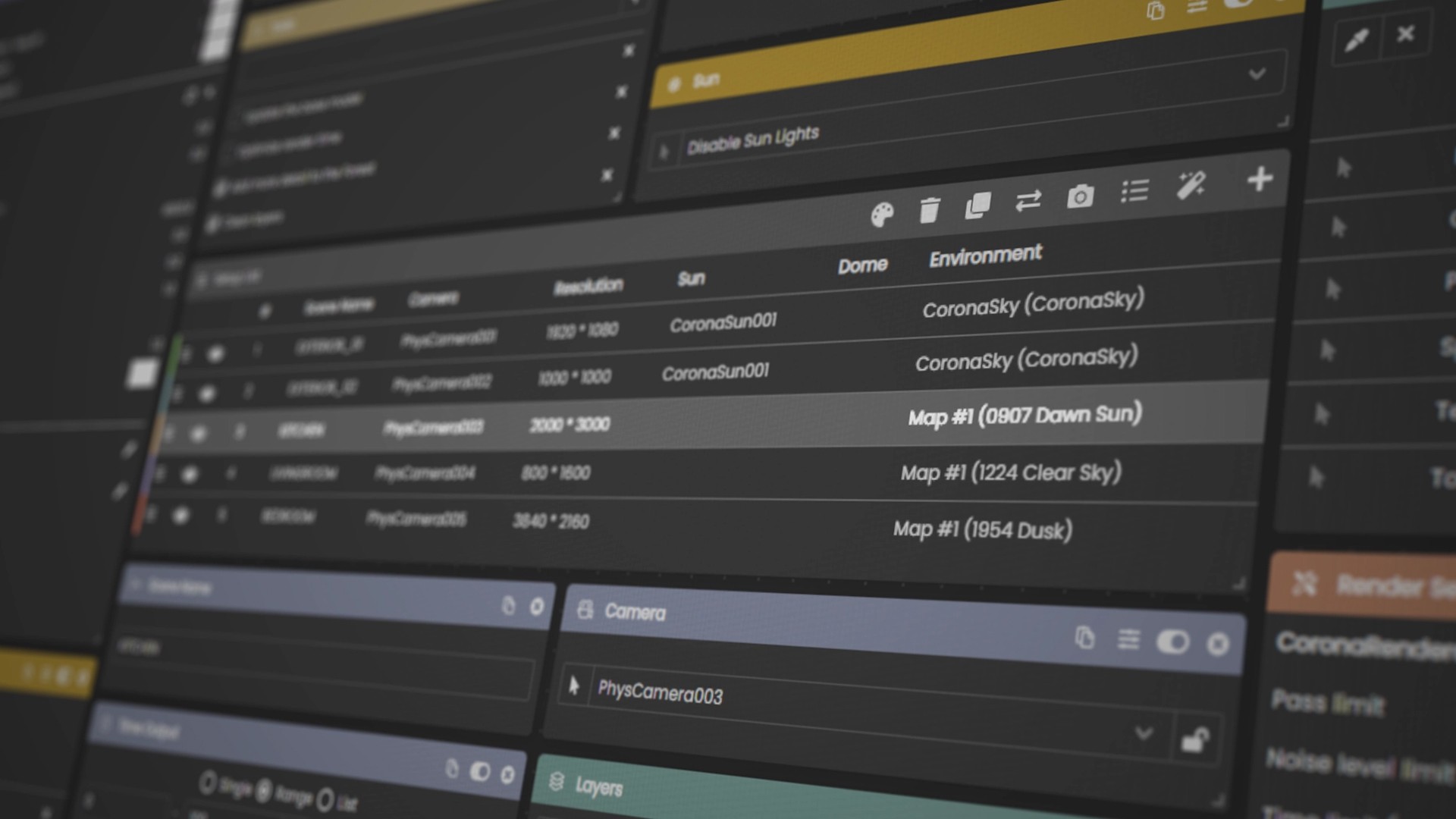
A setup holds everything a render depends on: the camera, resolution, sun, lights, layers, objects, materials, render settings and output. Click a setup and 3ds Max switches to it, with the same result every time, whichever setup was active before.
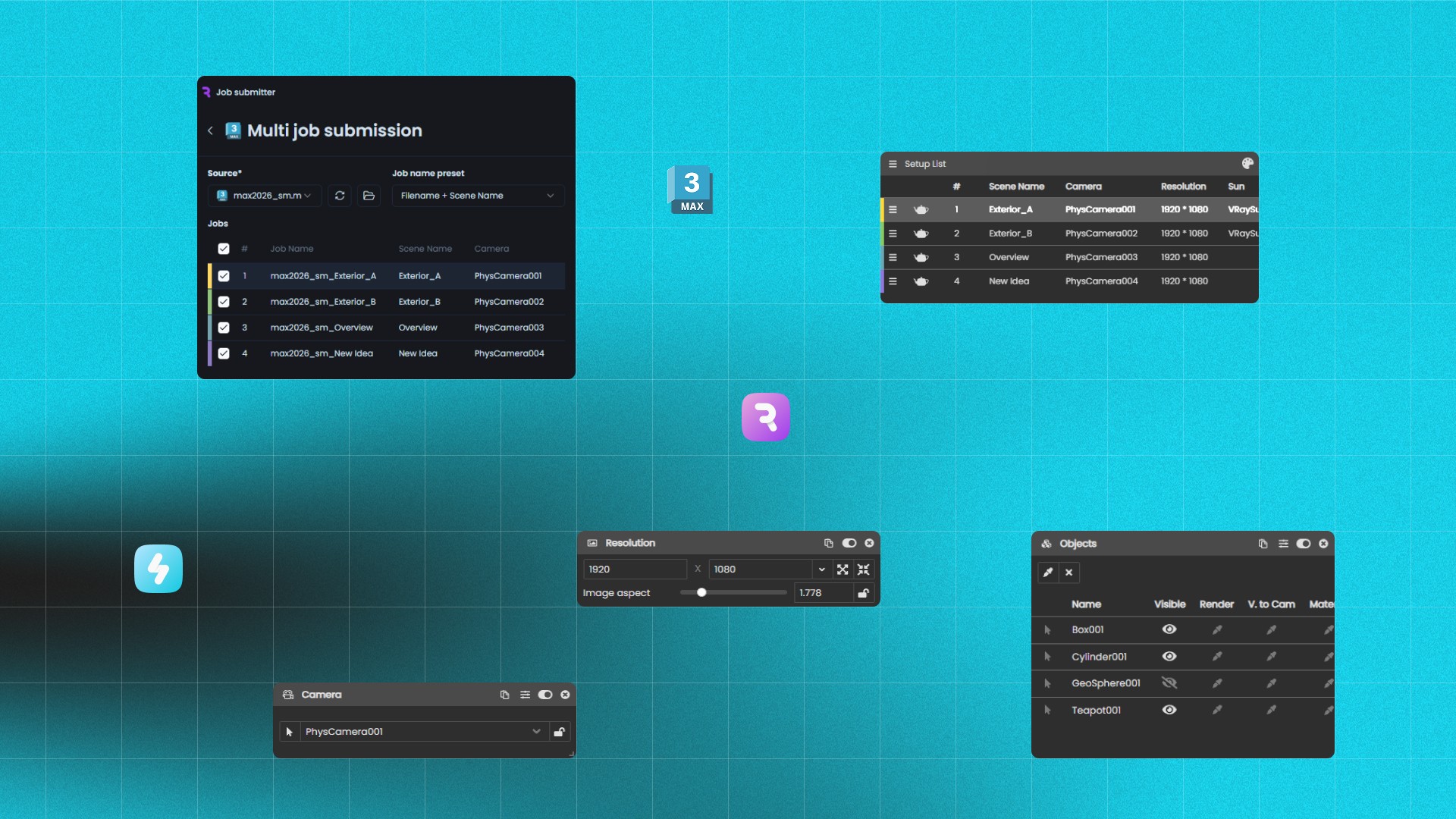
Modules for the whole scene. Camera, Resolution, Frames, Sun, Dome, Environment, Lights, Objects, Layers, Xrefs, Atmosphere, Render settings, Render elements, LightMix, Color corrections, Output and more, each a card you add, arrange and switch on per setup.
Folders. Group setups by view, mood or client round. A folder’s values pass down to every setup inside, and folders nest.
Sun control. Place the sun by date, time and location, or by azimuth and altitude, and see where it sits on the dial.
Environment overrides. Your renderer’s own GI and reflection environment, set per setup.
Output builder. Tokens build folder and file names from the setup, camera, date, version and your own values, so every file lands where it belongs.
Custom properties. Any property of any object in the scene, per setup.
Batch rendering, your way. Render any setups in one go, in the background on your computer while you keep working, through Chaos Vantage, or save them as 3ds Max files and V-Ray scenes.

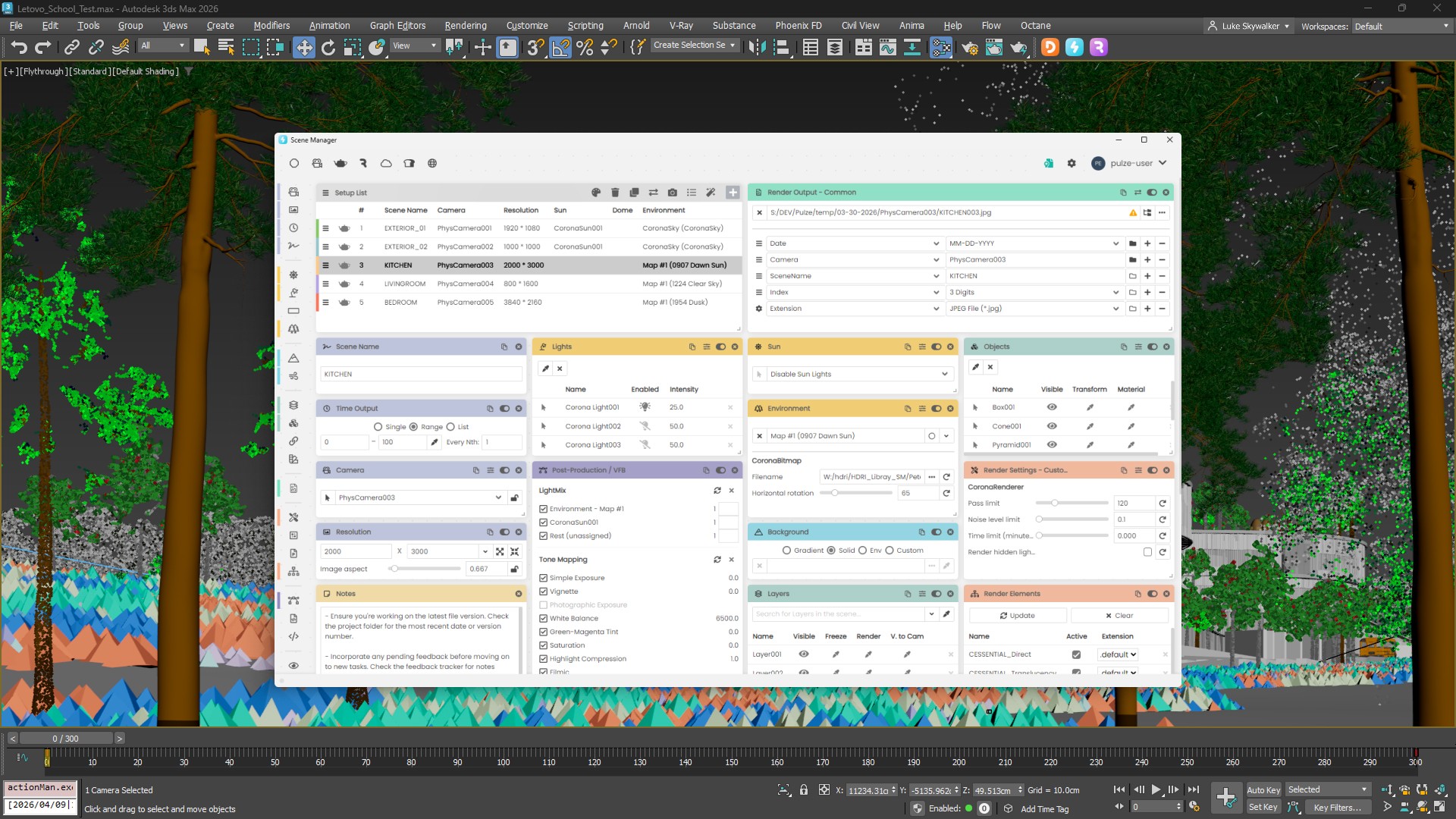
Setups in 3ds Max with Scene Manager 3: folders in the slim list on the left, and the selected setup’s Camera, Frames, Environment, Output, Resolution and Sun modules on the right.
Variations
Built for product visualization, where one product line can mean thousands of combinations: choose what changes, such as objects, materials, textures, cameras, layers or HDRIs, and give each its options. The setups you already have become the stage, so lighting and cameras are never set up twice. Scene Manager builds every combination, lets you step through them in the scene and renders them all, each file named and filed from its options.

Variations for a furniture line: 12 pieces, 12 fabrics and 11 existing setups make 1,584 variations, each rendered to a file named from its options.
Comments and AI agents
Pin a comment on a viewport or frame buffer, link the objects, materials or lights it’s about, and assign it to a teammate or to your AI agent. Connect Claude, Cursor or any MCP client: the agent reads the comment, makes the change in the scene and replies with exactly what it changed.

Comments pinned on a render: a request assigned to the AI agent, and Claude’s reply with the change it made in the 3ds Max scene.
Open to your pipeline
Everything the product does, your own tools can do too. Scene Manager 3 comes with a REST API, a Python SDK that also runs inside 3ds Max’s own Python, and an MCP server for AI agents.
Try the beta
Scene Manager 3 runs on Windows with 3ds Max 2021 to 2027 and V-Ray, V-Ray GPU, Corona or FStorm. Installing it replaces Scene Manager 2, and your 2.x setups come over the first time you open each scene. The installation guide covers every step. Sign in with your Pulze account, and start a 30-day trial if you don’t have a licence yet.
Tell us what you think
This is a beta, and your feedback decides what we polish next. Tell us what works, what’s missing and what gets in your way: join the conversation on our Discord or write to support@pulze.io.
"/><stop offset="1" stop-color="rgb(249, 153, 88)"/></linearGradient><linearGradient id="tNByExjAT-3936178086-linear-gradient" x1="0.592694010721749" x2="0.40730598927825107" y1="0" y2="1"><stop offset="0" stop-color="rgb(214, 214, 214)"/><stop offset="1" stop-color="rgb(249, 249, 249)"/></linearGradient></defs><g d="M 140 280 C 201.35 280 235.45 280 257.72 257.72 C 280 235.44 280 201.34 280 140 C 280 78.66 280 44.55 257.72 22.28 C 235.45 0 201.35 0 140 0 C 78.65 0 44.55 0 22.28 22.28 C 0 44.55 0 78.65 0 140 C 0 201.35 0 235.45 22.28 257.72 C 44.56 280 78.66 280 140 280 Z M 93.549 162.53 C 81.249 162.21 71.609 151.79 71.609 139.49 L 71.609 70.54 C 71.609 58.24 81.249 47.82 93.549 47.5 C 106.269 47.17 116.689 57.39 116.689 70.03 L 116.689 139.99 C 116.689 152.64 106.279 162.85 93.549 162.52 Z M 127.189 47.5 L 94.649 47.5 C 82.349 47.5 71.929 57.14 71.609 69.44 C 71.279 82.16 81.499 92.58 94.139 92.58 L 126.429 92.58 C 152.469 92.58 174.229 113.26 174.599 139.3 C 174.979 165.77 153.559 187.42 127.179 187.42 L 117.179 187.42 C 104.879 187.42 94.459 197.06 94.139 209.36 C 93.809 222.08 104.029 232.5 116.669 232.5 L 126.119 232.5 C 177.179 232.5 219.399 191.57 219.669 140.5 C 219.939 89.27 178.339 47.5 127.169 47.5 Z" fill="transparent" height="280px" id="rSAPTrJ6C" width="280px"><g d="M 140 280 C 201.35 280 235.45 280 257.72 257.72 C 280 235.44 280 201.34 280 140 C 280 78.66 280 44.55 257.72 22.28 C 235.45 0 201.35 0 140 0 C 78.65 0 44.55 0 22.28 22.28 C 0 44.55 0 78.65 0 140 C 0 201.35 0 235.45 22.28 257.72 C 44.56 280 78.66 280 140 280 Z M 93.549 162.53 C 81.249 162.21 71.609 151.79 71.609 139.49 L 71.609 70.54 C 71.609 58.24 81.249 47.82 93.549 47.5 C 106.269 47.17 116.689 57.39 116.689 70.03 L 116.689 139.99 C 116.689 152.64 106.279 162.85 93.549 162.52 Z M 127.189 47.5 L 94.649 47.5 C 82.349 47.5 71.929 57.14 71.609 69.44 C 71.279 82.16 81.499 92.58 94.139 92.58 L 126.429 92.58 C 152.469 92.58 174.229 113.26 174.599 139.3 C 174.979 165.77 153.559 187.42 127.179 187.42 L 117.179 187.42 C 104.879 187.42 94.459 197.06 94.139 209.36 C 93.809 222.08 104.029 232.5 116.669 232.5 L 126.119 232.5 C 177.179 232.5 219.399 191.57 219.669 140.5 C 219.939 89.27 178.339 47.5 127.169 47.5 Z" fill="transparent" height="280px" id="XUITjQ3ui" width="280px"><path d="M 140 280 C 201.35 280 235.45 280 257.72 257.72 C 280 235.44 280 201.34 280 140 C 280 78.66 280 44.55 257.72 22.28 C 235.45 0 201.35 0 140 0 C 78.65 0 44.55 0 22.28 22.28 C 0 44.55 0 78.65 0 140 C 0 201.35 0 235.45 22.28 257.72 C 44.56 280 78.66 280 140 280 Z" fill="url(%23f1qYH2iq6-3936178086-linear-gradient)" height="280px" id="f1qYH2iq6" width="280px"/><path d="M 21.94 115.038 C 9.64 114.718 0 104.298 0 91.998 L 0 23.048 C 0 10.748 9.64 0.328 21.94 0.008 C 34.66 -0.322 45.08 9.898 45.08 22.538 L 45.08 92.498 C 45.08 105.148 34.67 115.358 21.94 115.028 Z" fill="url(%23tNByExjAT-3936178086-linear-gradient)" height="115.03777309249585px" id="tNByExjAT" transform="translate(71.609 47.492)" width="45.0796px"/><path d="M 55.587 0 L 23.048 0 C 10.748 0 0.328 9.64 0.008 21.94 C -0.322 34.66 9.898 45.08 22.538 45.08 L 54.827 45.08 C 80.867 45.08 102.627 65.76 102.997 91.8 C 103.377 118.27 81.957 139.92 55.577 139.92 L 45.577 139.92 C 33.277 139.92 22.858 149.56 22.538 161.86 C 22.208 174.58 32.427 185 45.067 185 L 54.517 185 C 105.577 185 147.797 144.07 148.067 93 C 148.337 41.77 106.737 0 55.567 0 Z" fill="rgb(249, 249, 249)" height="185px" id="kUQRNWucU" transform="translate(71.602 47.5)" width="148.0687800047492px"/></g></g></svg>)
"/><stop offset="1" stop-color="rgb(158, 60, 236)"/></linearGradient><linearGradient id="TwUw7mDUx-2775876027-linear-gradient" x1="0.21742248902519262" x2="0.7825775109748074" y1="0" y2="1"><stop offset="0" stop-color="rgb(227, 227, 227)"/><stop offset="1" stop-color="rgb(249, 249, 249)"/></linearGradient></defs><g d="M 140 280 C 201.347 280 235.448 280 257.724 257.724 C 280 235.448 280 201.347 280 140 C 280 78.653 280 44.552 257.724 22.276 C 235.448 0 201.347 0 140 0 C 78.653 0 44.552 0 22.276 22.276 C 0 44.552 0 78.653 0 140 C 0 201.347 0 235.448 22.276 257.724 C 44.552 280 78.653 280 140 280 Z M 187.406 230 C 179.585 230 171.985 225.961 167.793 218.743 L 137.031 165.737 C 130.788 154.979 134.498 141.223 145.315 135.015 C 156.132 128.806 169.964 132.495 176.207 143.252 L 206.969 196.259 C 213.212 207.016 209.502 220.772 198.685 226.981 C 195.127 229.02 191.236 230 187.406 230 Z M 204 113.5 C 204 78.876 176.174 50.652 141.748 50.03 C 141.367 50.01 140.977 50 140.586 50 L 92.537 50 C 80.087 50 70 60.1 70 72.567 C 70 85.035 80.087 95.135 92.537 95.135 L 140.586 95.135 C 150.703 95.135 158.926 103.37 158.926 113.5 C 158.926 123.63 150.703 131.865 140.586 131.865 L 121.074 131.865 C 108.623 131.865 98.537 141.965 98.537 154.432 C 98.537 166.9 108.623 177 121.074 177 L 140.586 177 C 140.977 177 141.367 177 141.748 176.97 C 176.174 176.348 204 148.124 204 113.5 Z" fill="transparent" height="280px" id="YKCNutVTT" width="280px"><path d="M 140 280 C 201.347 280 235.448 280 257.724 257.724 C 280 235.448 280 201.347 280 140 C 280 78.653 280 44.552 257.724 22.276 C 235.448 0 201.347 0 140 0 C 78.653 0 44.552 0 22.276 22.276 C 0 44.552 0 78.653 0 140 C 0 201.347 0 235.448 22.276 257.724 C 44.552 280 78.653 280 140 280 Z" fill="url(%23YDb5Nxcxy-2775876027-linear-gradient)" height="280px" id="YDb5Nxcxy" width="280px"/><path d="M 53.406 98 C 45.585 98 37.985 93.961 33.793 86.743 L 3.031 33.737 C -3.212 22.979 0.498 9.223 11.315 3.015 C 22.132 -3.194 35.964 0.495 42.207 11.252 L 72.969 64.259 C 79.212 75.016 75.502 88.772 64.685 94.981 C 61.127 97.02 57.236 98 53.406 98 Z" fill="url(%23TwUw7mDUx-2775876027-linear-gradient)" height="97.99995519103643px" id="TwUw7mDUx" transform="translate(134 132)" width="76.00044607111269px"/><path d="M 134 63.5 C 134 28.876 106.174 0.652 71.748 0.03 C 71.367 0.01 70.977 0 70.586 0 L 22.537 0 C 10.087 0 0 10.1 0 22.567 C 0 35.035 10.087 45.135 22.537 45.135 L 70.586 45.135 C 80.703 45.135 88.926 53.37 88.926 63.5 C 88.926 73.63 80.703 81.865 70.586 81.865 L 51.074 81.865 C 38.623 81.865 28.537 91.965 28.537 104.432 C 28.537 116.9 38.623 127 51.074 127 L 70.586 127 C 70.977 127 71.367 127 71.748 126.97 C 106.174 126.348 134 98.124 134 63.5 Z" fill="rgb(249, 249, 249)" height="127px" id="dR8GQomDb" transform="translate(70 50)" width="134px"/></g></svg>)
"/><stop offset="1" stop-color="rgb(20, 201, 225)"/></linearGradient><linearGradient id="ttiWHiLhI-610479465-linear-gradient" x1="0" x2="1" y1="0.10969428681921467" y2="0.8903057131807853"><stop offset="0" stop-color="rgb(249, 249, 249)"/><stop offset="1" stop-color="rgb(227, 227, 227)"/></linearGradient></defs><g d="M 139.395 278.79 C 200.478 278.79 234.431 278.79 256.611 256.61 C 278.791 234.43 278.79 200.477 278.79 139.395 C 278.79 78.313 278.791 44.36 256.611 22.18 C 234.431 0 200.478 0 139.395 0 C 78.313 0 44.36 0 22.18 22.18 C 0 44.36 0 78.313 0 139.395 C 0 200.477 0 234.43 22.18 256.61 C 44.36 278.79 78.313 278.79 139.395 278.79 Z M 178.295 161.885 L 100.415 161.885 C 87.984 161.885 77.914 151.815 77.914 139.385 C 77.914 126.955 87.984 116.885 100.415 116.885 L 178.295 116.885 C 190.725 116.885 200.795 126.955 200.795 139.385 C 200.795 151.815 190.725 161.885 178.295 161.885 Z M 100.396 161.905 C 96.575 161.905 92.705 160.935 89.165 158.885 C 78.405 152.675 74.715 138.915 80.925 128.145 L 119.866 60.695 C 126.076 49.935 139.836 46.245 150.606 52.455 C 161.366 58.665 165.056 72.425 158.846 83.195 L 119.906 150.645 C 115.736 157.865 108.176 161.895 100.396 161.895 Z M 139.335 229.365 C 135.515 229.365 131.645 228.395 128.105 226.345 C 117.345 220.135 113.655 206.375 119.865 195.605 L 158.805 128.155 C 165.015 117.395 178.775 113.705 189.545 119.915 C 200.305 126.125 203.995 139.885 197.785 150.655 L 158.845 218.105 C 154.675 225.325 147.115 229.355 139.335 229.355 Z" fill="transparent" height="278.79002000808714px" id="hKg4pe_V0" transform="translate(0.605 0.605)" width="278.78953101158965px"><g d="M 139.395 278.79 C 200.478 278.79 234.431 278.79 256.611 256.61 C 278.791 234.43 278.79 200.477 278.79 139.395 C 278.79 78.313 278.791 44.36 256.611 22.18 C 234.431 0 200.478 0 139.395 0 C 78.313 0 44.36 0 22.18 22.18 C 0 44.36 0 78.313 0 139.395 C 0 200.477 0 234.43 22.18 256.61 C 44.36 278.79 78.313 278.79 139.395 278.79 Z M 178.295 161.885 L 100.415 161.885 C 87.984 161.885 77.914 151.815 77.914 139.385 C 77.914 126.955 87.984 116.885 100.415 116.885 L 178.295 116.885 C 190.725 116.885 200.795 126.955 200.795 139.385 C 200.795 151.815 190.725 161.885 178.295 161.885 Z M 100.396 161.905 C 96.575 161.905 92.705 160.935 89.165 158.885 C 78.405 152.675 74.715 138.915 80.925 128.145 L 119.866 60.695 C 126.076 49.935 139.836 46.245 150.606 52.455 C 161.366 58.665 165.056 72.425 158.846 83.195 L 119.906 150.645 C 115.736 157.865 108.176 161.895 100.396 161.895 Z M 139.335 229.365 C 135.515 229.365 131.645 228.395 128.105 226.345 C 117.345 220.135 113.655 206.375 119.865 195.605 L 158.805 128.155 C 165.015 117.395 178.775 113.705 189.545 119.915 C 200.305 126.125 203.995 139.885 197.785 150.655 L 158.845 218.105 C 154.675 225.325 147.115 229.355 139.335 229.355 Z" fill="transparent" height="278.79001999999997px" id="w_SP9V_LT" transform="translate(0 0)" width="278.7895310000081px"><path d="M 139.395 278.79 C 200.478 278.79 234.431 278.79 256.611 256.61 C 278.791 234.43 278.79 200.477 278.79 139.395 C 278.79 78.313 278.791 44.36 256.611 22.18 C 234.431 0 200.478 0 139.395 0 C 78.313 0 44.36 0 22.18 22.18 C 0 44.36 0 78.313 0 139.395 C 0 200.477 0 234.43 22.18 256.61 C 44.36 278.79 78.313 278.79 139.395 278.79 Z" fill="url(%23VvyLWBwlb-610479465-linear-gradient)" height="278.79001999999997px" id="VvyLWBwlb" width="278.7895310000081px"/><path d="M 100.381 45 L 22.501 45 C 10.07 45 0 34.93 0 22.5 C 0 10.07 10.07 0 22.501 0 L 100.381 0 C 112.811 0 122.881 10.07 122.881 22.5 C 122.881 34.93 112.811 45 100.381 45 Z" fill="url(%23ttiWHiLhI-610479465-linear-gradient)" height="45px" id="ttiWHiLhI" transform="translate(77.914 116.885)" width="122.88050000000001px"/><path d="M 22.485 112.465 C 18.665 112.465 14.795 111.495 11.255 109.445 C 0.495 103.235 -3.195 89.475 3.015 78.705 L 41.955 11.255 C 48.165 0.495 61.925 -3.195 72.695 3.015 C 83.455 9.225 87.145 22.985 80.935 33.755 L 41.995 101.205 C 37.825 108.425 30.265 112.455 22.485 112.455 Z" fill="rgb(249, 249, 249)" height="112.46529262442554px" id="B5LOvula1" transform="translate(77.91 49.44)" width="83.95068524885113px"/><path d="M 22.485 112.465 C 18.665 112.465 14.795 111.495 11.255 109.445 C 0.495 103.235 -3.195 89.475 3.015 78.705 L 41.955 11.255 C 48.165 0.495 61.925 -3.195 72.695 3.015 C 83.455 9.225 87.145 22.985 80.935 33.755 L 41.995 101.205 C 37.825 108.425 30.265 112.455 22.485 112.455 Z" fill="rgb(249, 249, 249)" height="112.46529262442556px" id="tMeCyqf_z" transform="translate(116.849 116.9)" width="83.95058524885116px"/></g></g></svg>)